Product Reordering
You now have the ability to re-order your products for your store page!
** Please note it can take 24hrs for the order to update on the front end of the website.
If the customer uses the filters to rearrange their view on your page it will override the order you have created.
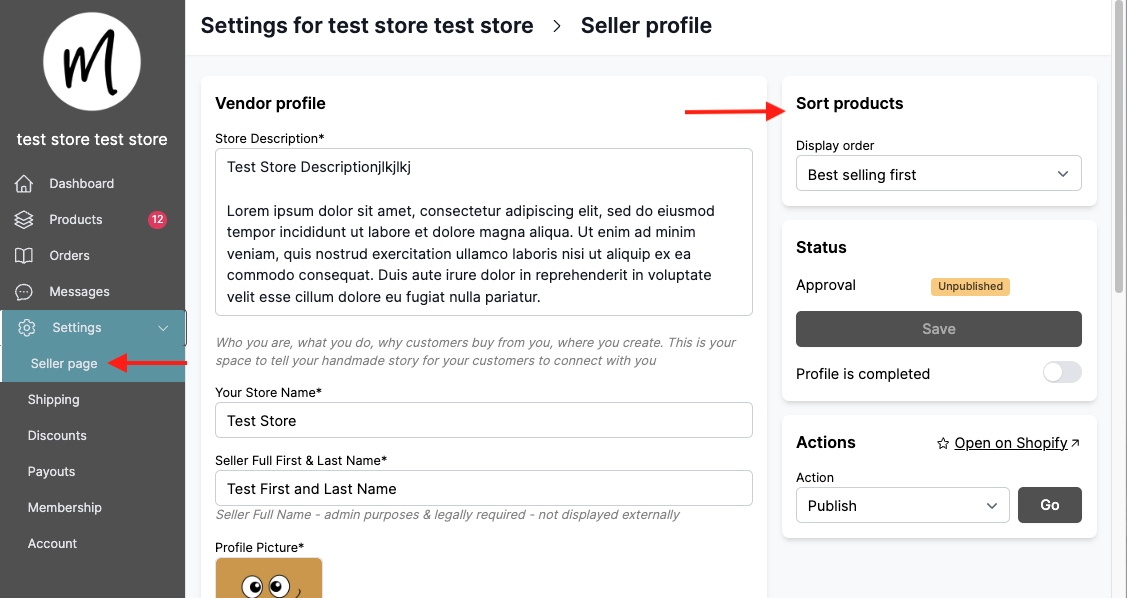
This feature lives on your Seller page.
Go to sort products
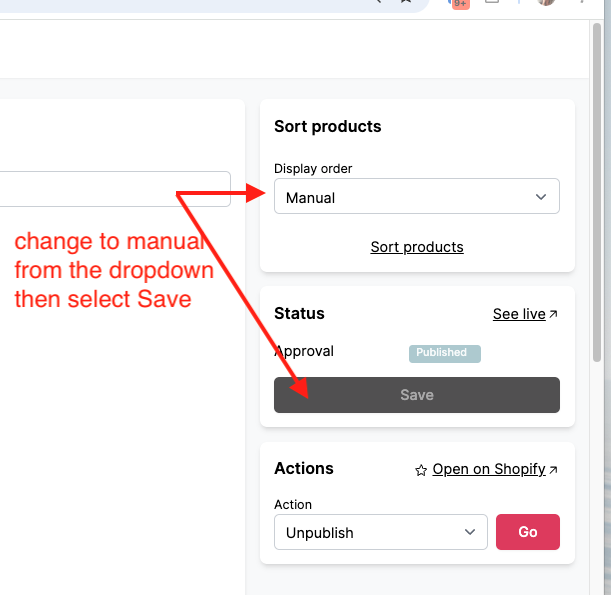
Select Manual from the dropdown list then select Save. This saves Manual as your default option so each new product added will go to the bottom of the list until you update it.
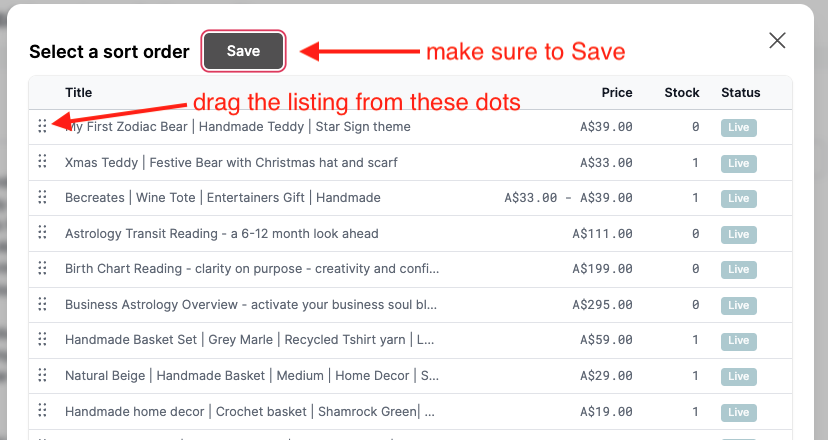
Now to update your products order select SORT PRODUCTS and then drag your listings using the 6 dots to the left of each listing. Then select Save.