Membership Options
Madeit memberships are designed to grow with you, whether you are just getting started or you are ready to build real momentum. Every plan includes access to our handmade community, platform support and the tools you need to sell online with confidence
If you need any help with your membership please contact us at support@madeit.com.au
How to change your membership & check billing cycle
How to update payment method and card details

To find out more about the Makers' Move Session, view here.
Madeit Benefits
When you join Madeit you become part of a supported environment. Choose the plan that is right for you right now and then enjoy all of these benefits.

The Growth Circle 🚀
You asked, we listened!
This is for Artisans that are really serious about the growth in their business and are ready to commit to showing up, doing the work and being accountable.
Growth membership includes:
• Everything in the Business Plan
• 125 active products plus unlimited inactive products
• WEEKLY Accountability Zoom Sessions: Monday 10.30am (Recorded)
• Extra support, insight and momentum inside the Madeit community
Madeit Weekly Schedule

Need help choosing?
If you are unsure what plan is right for you, reach out anytime and we will help you pick the best fit.
Support: support@madeit.com.au
How to change your membership
Watch Video Tutorial here for desktop/laptop👇🏼
Watch here for Video Tutorial for mobile phone
Changing your Madeit membership Plan
- We walk you through changing your membership plan
- Checking when your next payment is due and the total due
- Update payment methods - on mobile
- Downloading previous membership invoices/receipts
1. Log into Your Madeit Account 0:00
- Access your Madeit account by logging in.
- Navigate to the settings menu.
2. Access Membership Settings 0:10
- Click on the settings menu to open a dropdown.
- Select 'Membership' to view your current plan.
3. Identify Your Current Plan 0:16
- Check the panel that displays your current plan (e.g., Artisan plan).
- Note that the current plan is highlighted in blue.
4. Choose New Plan 0:40
- Decide whether to upgrade or downgrade your plan.
- Click on the desired plan (e.g., Business plan) to select it.
5. Confirm Plan Change 1:03
- After selecting the new plan, a confirmation button will appear.
- Click 'Update Subscription' to confirm your choice.
6. Check Billing Information 1:31
- In the membership panel, locate 'My Billing' and click on it.
- Ensure pop-ups are enabled to view the new window.
7. Review Billing Details 1:48
- Check the new window for your current plan, next billing date, and amount due.
- Click 'View Details' to see changes made and payment history.
8. Update Payment Method (if necessary) 2:15
- If needed, update your payment method in the billing section.
- Select Add Payment Method and select Pay Another Way
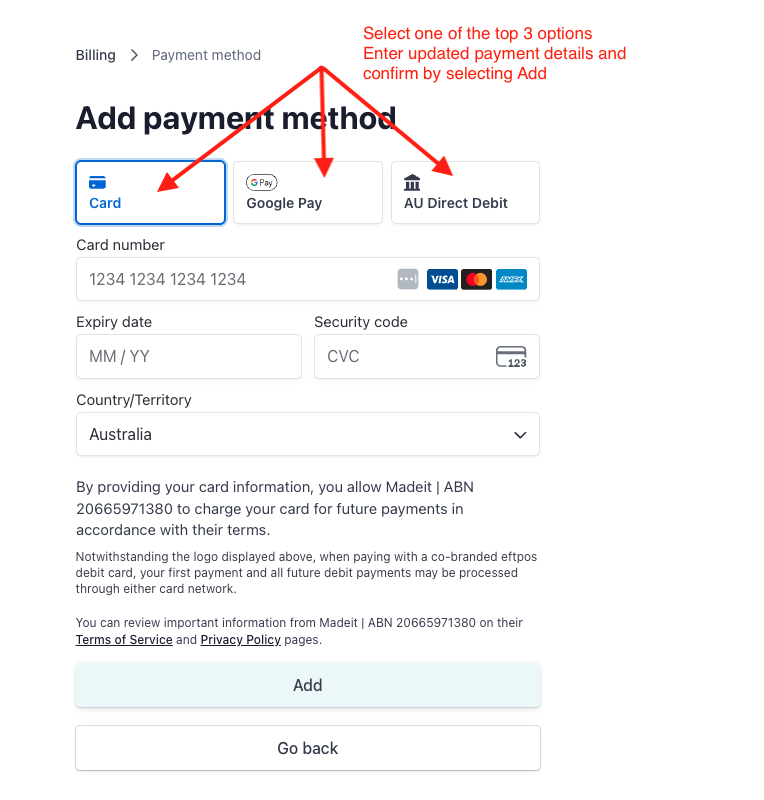
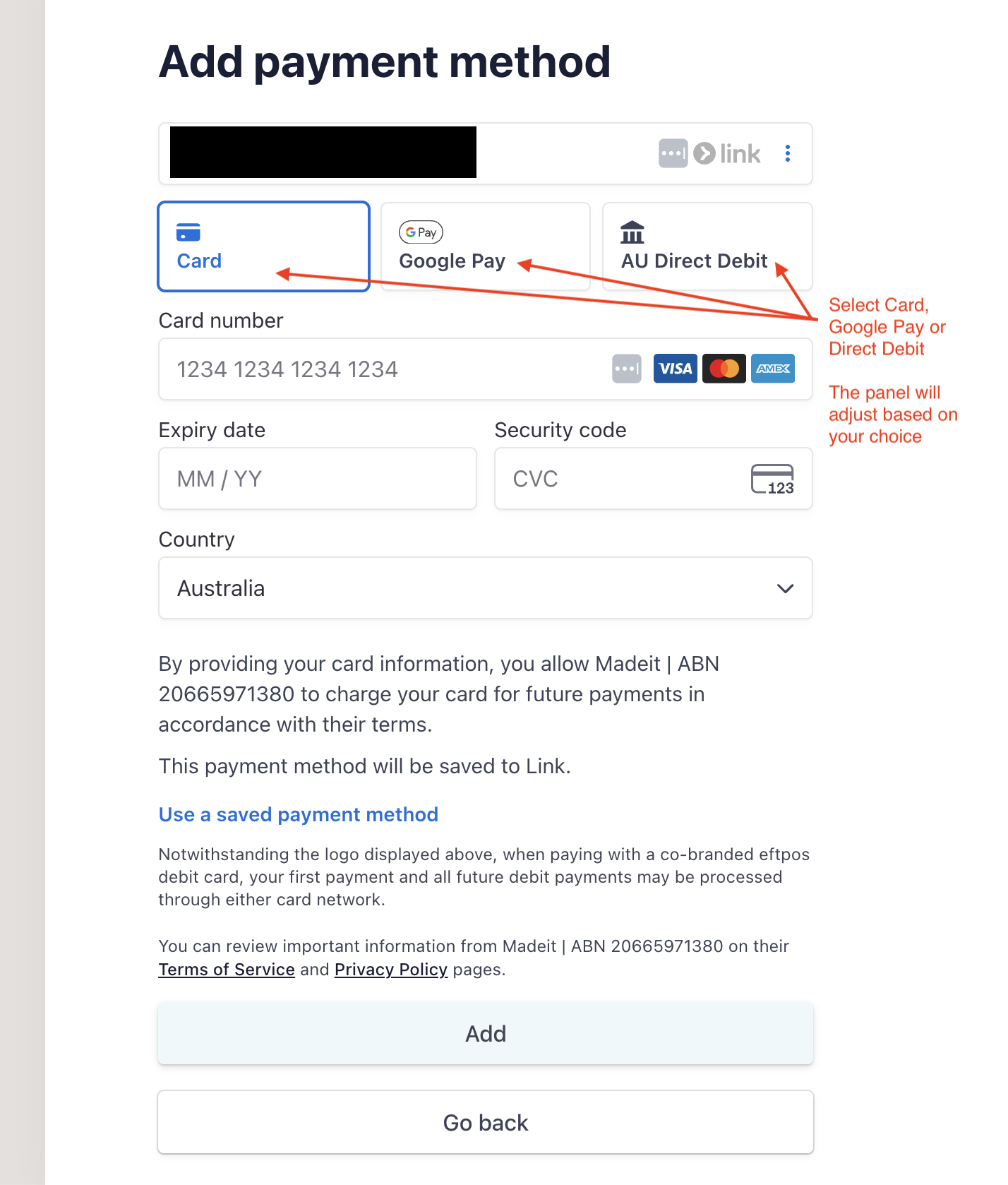
- Choose Card, Google Pay or Direct Debit. The panel will adjust based on your choice. Enter the payment method and confirm.

-
Access your invoice history to retrieve previous invoices.
9. Return to Dashboard 2:27
- After reviewing your billing information, click 'Return to Madeit' to go back to your store.
How to update payment method including card details for current or overdue membership
Updating card details or payment method for your Madeit membership on desktop
Log into your seller dashboard.
If your membership payment is past due you will have the membership panel pop up automatically and are required to action this screen before proceeding.
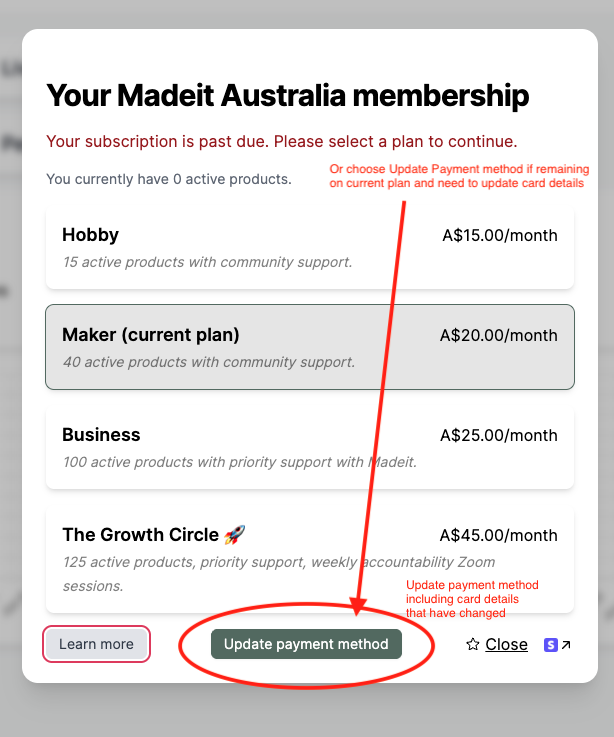
If your membership is current and the card details require updating with a new card
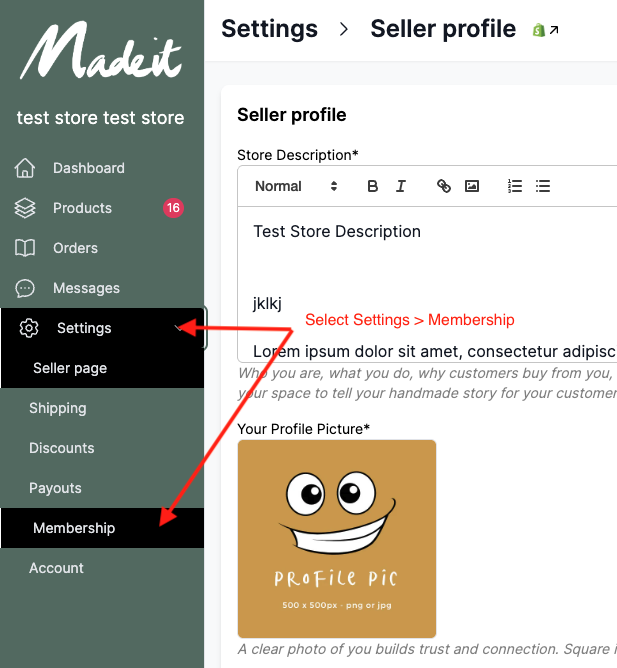
Log into your seller dashboard
Select Settings > Membership
Select My Billing
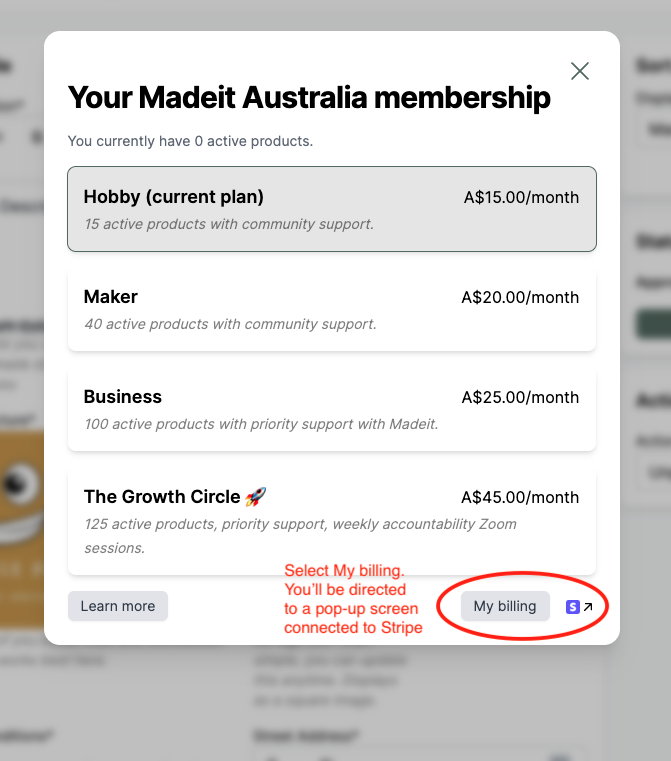
Select Update payment method
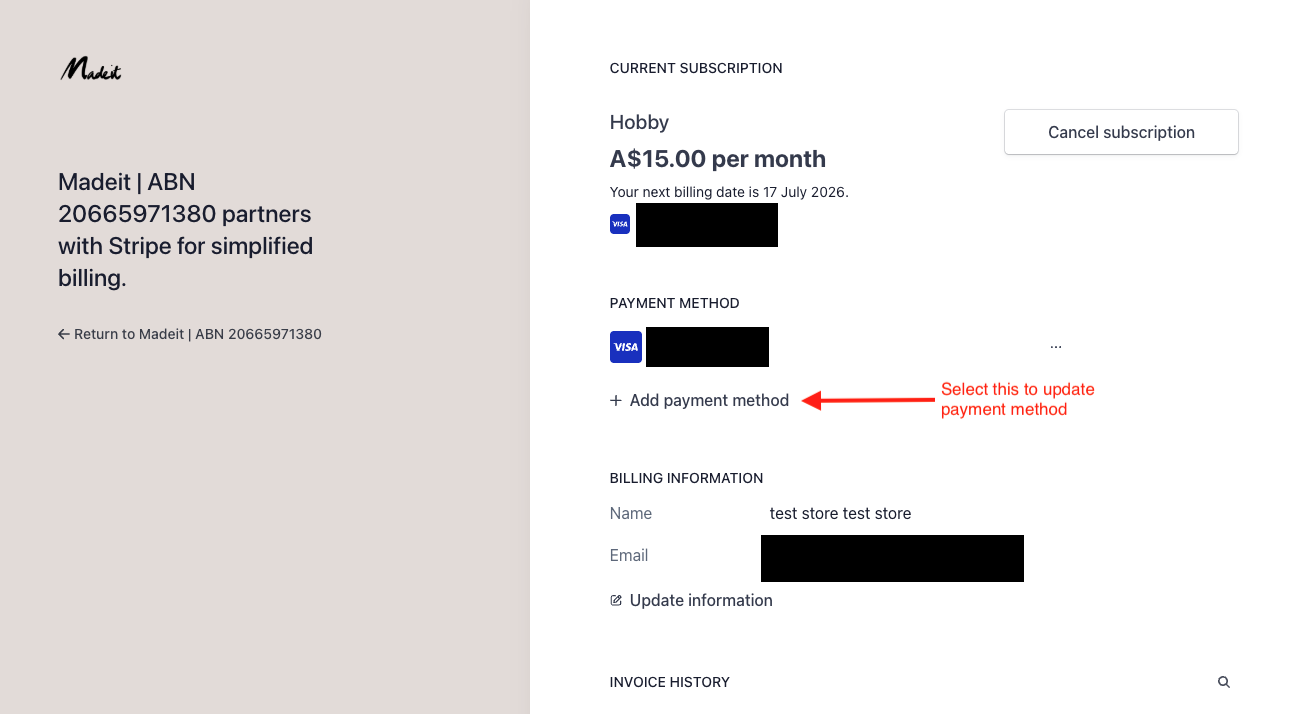
Choose one of the 3 options for updating your payment method. Enter details and confirm by selecting Add. Once complete, select Return to Madeit on the left hand side panel.